Automatic Closet Lighting
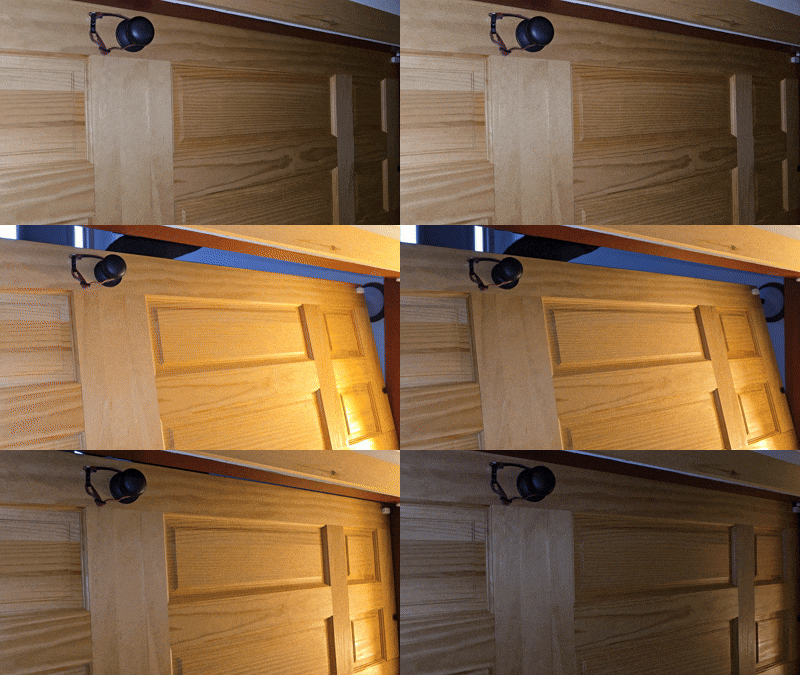
We have a small closet off the kitchen/living room where we keep all of our dog food and pet supplies (the dogs all rush to the door when it's so much as looked at). As found, there was no lighting/power (or shelves, but I remedied that with a couple of 2x10s and some brackets earlier this year). With the short, dark days of winter it's hard to find anything in there - Brittany asked me to add a light.
I didn't have any easy way to install a light above. The area directly above is near the soffit, outside the knee walls of the room I built last winter, covered in spray foam and sub floor. Fortunately, there was a 3 gang box with an outlet and some lighting circuits on the kitchen side of the shared wall. Last week, I installed a floating live edge shelf on this same wall, so I knew roughly where the studs were. I probed the closet side of the wall with a stud finder, and then a finish nail in a couple of locations in the closet, to make sure the stud bay was uninterrupted up to the area I planned to install the light.
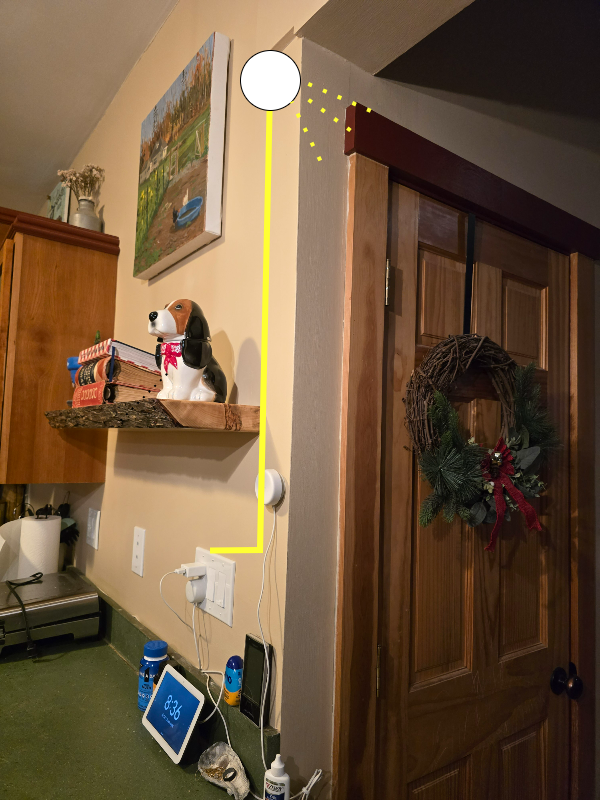
I marked the hole in the closet and used a hole saw to cut a round hole for an old work box. The hole saw blew out the hole a little wider than I would've liked in one spot but I plan to refinish this closet at some point anyway. I fished some romex up from the 3 gang box in the kitchen through the old work box, connecting it to a basic porcelain lamp socket with a pull chain.
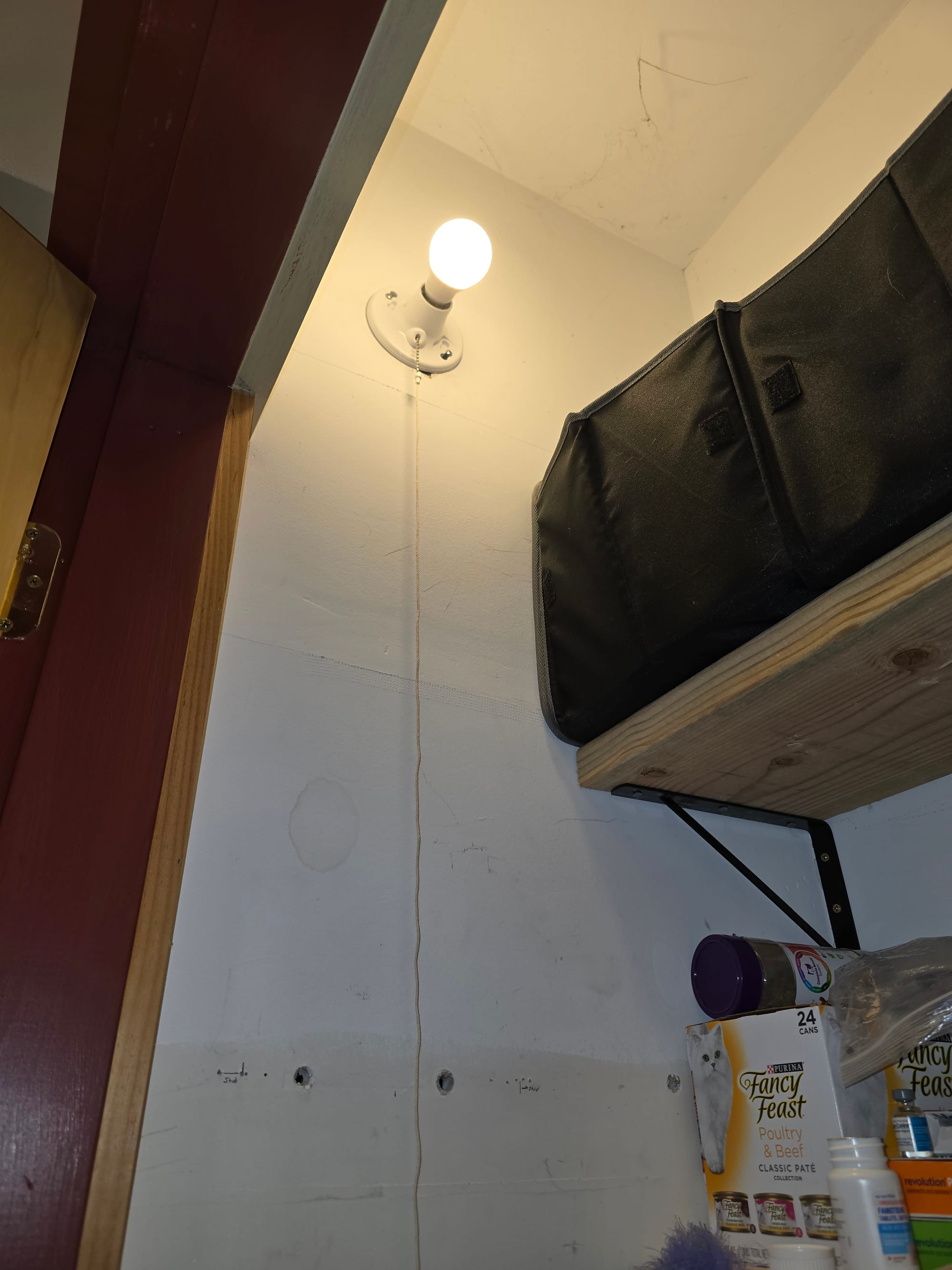
This was probably enough to satisfy the initial request, but still far from ideal. We only tend to open this closet for a couple of seconds at a time (grab dog food, etc) and pulling the chain twice in itself doubles that time. This was a great excuse to buy some automation gear.
I filled the porcelain bulb holder with a phillips hue white bulb, joining it to my existing zigbee network. I turned the bulb holder on with no further intention of turning it off locally. I figured a door contact sensor would be the best way to automate this - combined with some basic home assistant automations, I could have the light come on when the door opens and off when it closes. A few houses ago I used some wyze sense v1 contact sensors, which were great until their batteries got low and they changed hardware IDs. I did some research and settled on the more expensive but highly rated Aqara Door and Window contact sensors.
These sensors, like the hue bulb, talk zigbee. The heart of my zigbee network is a Sonoff USB zigbee hub plugged directly into my home assistant proxmox host and passed through to the HAOS virtual machine. I joined them to my Zigbee2MQTT instance by first hitting "permit all join" on the home assistant add on and then holding down the single button on the sensor for 5s. The sensor popped up as joining and I renamed it for it's intended use.

To keep things discrete and clean looking, I installed the contact sensor on the top inside corner of the door. I have casing all around both internally and externally so I had to mount the sensor and pickup sub-optimally. The documentation has them flat next to each other on an even plane, but the pickup is just a magnet and these particular units seem to have great range (rated at 22mm, or almost an inch in freedom units). I held them roughly in place and monitored the state in home assistant before attaching the adhesive.
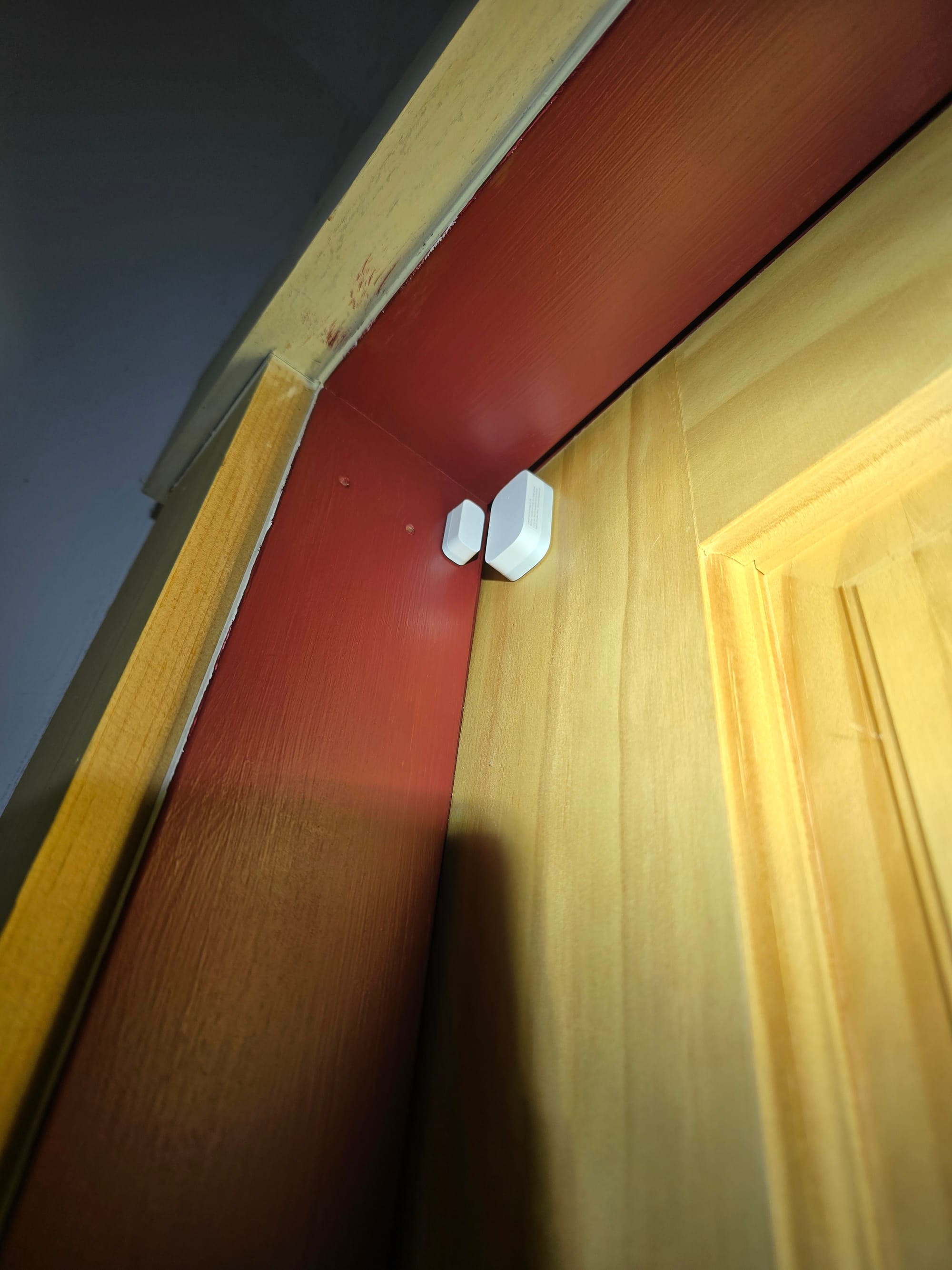
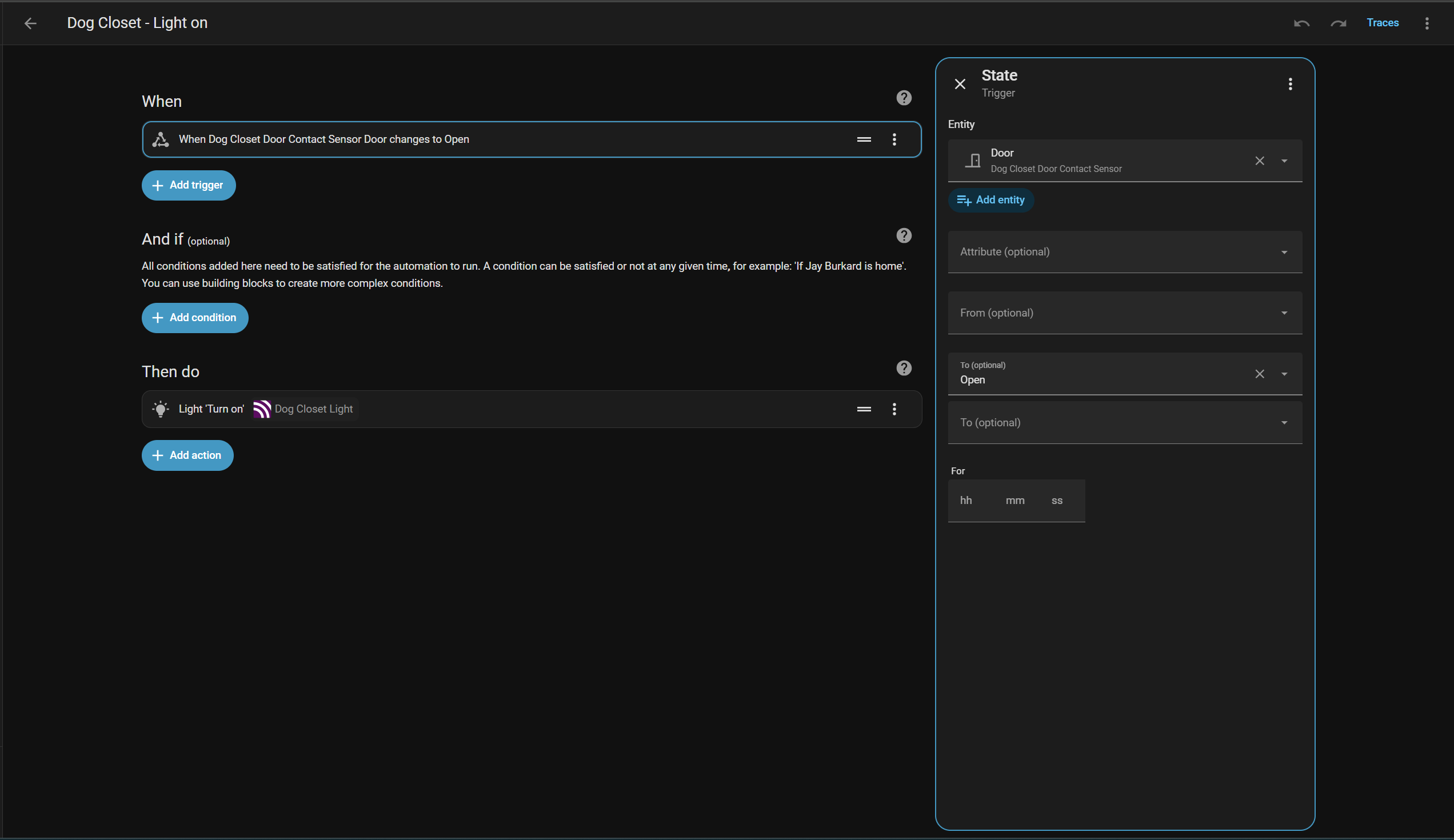
With all of the IO in place and talking to home assistant, I created two extremely simple automations turning the light on when the contact sensor state changes to open and the reverse, turning the light off when the contact sensor state changes to closed.
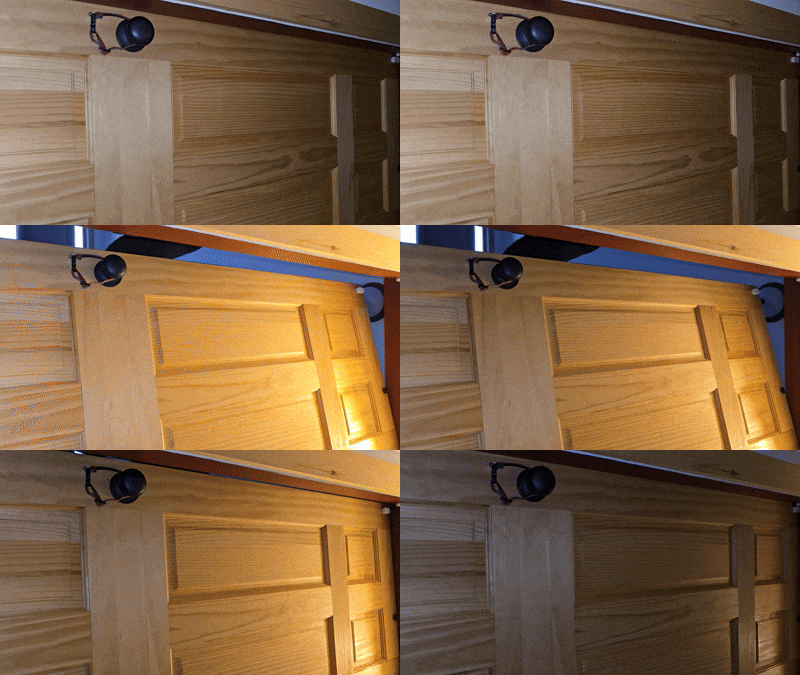
These Aqara units react and report back almost instantly, so fast in fact the light is on before I get the door 1/4 of the way open. I peaked under the bottom of the door to verify it was actually shutting off - also ridiculously fast as soon as the door is completely closed and the contact sensor is made up. I opted not to include the hue light entity anywhere on the home assistant GUI - when it stops working, that will be an excellent reminder to change the battery in contact sensor. I have a number of other hue products controlled through the same hub (mix of lights and hardwired hue downlights in new upstairs addition) and they have been bulletproof.
I went ahead and added the two other sensors in the 3 pack I purchased to other closets - one to my bedroom closet bifold (placed the sensor on one bifold and the pickup on the other) and one in our master bath closet bifold. The primary automations (on/off with contact sensor) were near identical to the dog closet. The bedroom closet has a Wyze color bulb flashed with tasmota in the overhead fixture, so I'm calling the light_on action. The master bath fixture didn't have the wiring to support a traditional smart switch (and it's a large LED fixture without replaceable bulb, no smart bulb options), so I installed a Shelly 1PM gen 4 in the fixture box. For that automation, I'm calling the switch_on action.
In the master bathroom, I use an Aqara mmwave radar sensor to control lights/bathroom fan as described here. I have a series of automations for each zone - overhead lights come on when you first walk in, vanity lights come on when you get near the sink, etc. I added some if/then components to the overhead lighting automations to account for the new closet door sensor. When you first walk in, if the closet door is open, the closet light comes on. When no presence is detected for 2 minutes, all lights shut off, including the closet light regardless of door state. Otherwise, the closet overhead light comes on/off with the door sensors as the other closets do. I think this combination will ensure we'll never touch the switch again.
alias: Aqara Bathroom - Turn on overhead light when entering bathroom
description: ""
triggers:
  - entity_id:
      - binary_sensor.presence_sensor_fp2_0475_presence_sensor_4
    from: "off"
    to: "on"
    trigger: state
conditions: []
actions:
  - target:
      entity_id: switch.master_bath_left
    data: {}
    action: switch.turn_on
  - if:
      - condition: state
        entity_id: binary_sensor.master_bath_closet_door_contact_sensor_contact
        state:
          - "on"
    then:
      - action: switch.turn_on
        metadata: {}
        target:
          entity_id: switch.bedroom_fan_1
        data: {}
mode: single
Overhead lighting automation with closet conditionally added
alias: Shut off bathroom lights with no presence
description: ""
triggers:
  - entity_id:
      - binary_sensor.presence_sensor_fp2_0475_presence_sensor_3
      - binary_sensor.presence_sensor_fp2_0475_presence_sensor_4
    to: "off"
    for:
      hours: 0
      minutes: 5
      seconds: 0
    trigger: state
conditions:
  - condition: and
    conditions:
      - condition: state
        entity_id: binary_sensor.presence_sensor_fp2_0475_presence_sensor_3
        state: "off"
        for:
          hours: 0
          minutes: 1
          seconds: 0
      - condition: state
        entity_id: binary_sensor.presence_sensor_fp2_0475_presence_sensor_4
        state: "off"
        for:
          hours: 0
          minutes: 1
          seconds: 0
      - condition: state
        entity_id: binary_sensor.presence_sensor_fp2_0475_presence_sensor_2
        state: "off"
        for:
          hours: 0
          minutes: 1
          seconds: 0
actions:
  - target:
      entity_id:
        - switch.master_bath_left
    data: {}
    action: switch.turn_off
  - target:
      entity_id: light.master_bathroom_mirror
    data: {}
    action: light.turn_off
  - action: switch.turn_off
    metadata: {}
    target:
      entity_id: switch.shelly1g4_e4b06375108c
    data: {}
mode: single
Shut it all off!