My RTL_433 Setup

In my ever expanding home automation quest, I've amassed a small suite of 433mhz sensors - I opt for hardwired esphome/other wifi type iot sensors and controllers whenever I can (easy to troubleshoot, no batteries) but there are lower criticality areas I'd like to monitor without power nearby. This is where 433mhz sensors really shine - they are simple, often very cheap, and have long runtimes on battery (up to a year).
In this writeup I'll be going through my setup in detail, from the raw "hub" and sensors to my specific use cases and automations for each of them.
As of right now, I am using...
- Nooelec SDR - the "hub" plugged into my server
- Acurite 986 - Monitor fridge/freezer temperatures
- Acurite 06002M - Room temperature/humidity
- Govee Water Leak Detectors - Installed around well pressure tank, water heaters, all toilets, sinks, and fridge
- Ecowitt WS90 weather station - outdoor temp/wind/sunlight/rainfall/etc.
- Ecowitt WH51 - Soil moisture sensor
- TPMS sensors - Tire pressure sensors on vehicles
The hardware heart of this setup is an RTL-SDR, a little software defined radio that can pickup signals anywhere in the 27MHz-1700MHz range. I'm using a Nooelec unit, based on the realtek RTL2832U chipset. There are many different units all based on this particular chipset that are highly recommended - I have been running this Nooelec unit 24/7 for over 2 years without issue. I have it plugged in via a USB hub to my large proxmox host, passed through via usb to my home assistant VM.
The software heart of the setup is rtl_433, a nice software package that decodes data from over 200 common sensors in the 315MHz, 433MHz, 915MHz, and several other frequencies. Github user deviantintegral wrapped RTL433 into a home assistant add on, and this is how I run it. This add on uses the realtek hardware radio to listen for the devices and then outputs the data to an MQTT server. For MQTT broker duties, I run mosquitto as a home assistant add-on.
I also run deviantintegral's rtl433-mqtt-autodiscovery add on - this connects to the MQTT broker and creates home assistant entities for most devices that rtl_433 picks up.

The rtl433 add on repository provides two options - regular rtl_433, based on a stable build of rtl_433 from mid 2023, and and rtl_433 (next), based on the latest build. There have been ~ 60 protocols for devices added to rtl_433 in the past year, some of which I'm interested in (BMW TPMS sensors!) so I run the "next" variant.

Initial configuration of the add on is fairly simple - you create an rtl_433.conf file, choose how you want to output the data (MQTT server), and choose which protocols you'd like to listen for, and which frequencies you want to listen on (not all protocols supported by rtl433 are at 433MHz). I started with the example.conf file in the rtl433 docs and made edits from there. I chose to enable all protocols (we live in the woods far from other homes) - if you lived in an urban area you may want to pair this down by commenting out protocols you don't plan on using.
Below I've included the relevant portions I modified.
Output:
output mqtt://x.x.x.x:1883,user=xxx,pass=xxxxxx,retain=1,devices=rtl_433/17069798-rtl433/devices[/type][/model][/subtype][/channel][/id],events=rtl_433/17069798-rtl433/events,states=rtl_433/17069798-rtl433/statesOutput line, sending data to my mqtt broker (mosquitto, running as a home assistant add-on) - I have modified the output of the "next" add on to match the original - when I switched, this kept the same topic names, as mentioned here: https://github.com/pbkhrv/rtl_433-hass-addons/blob/main/rtl_433-next/README.md
Frequency:
# as command line option:
#   [-f <frequency>] [-f...] Receive frequency(s) (default: 433920000 Hz)
# default is "433.92M", other reasonable values are 315M, 345M, 915M and 868M
frequency     433.92M
frequency     315M
frequency     915M
Including all 3 frequencies of the sensors I'm interested in - 915M to pickup my soil moisture sensor + weather station and 315M to try and pickup TPMS sensors
Hop interval:
# as command line option:
#   [-H <seconds>] Hop interval for polling of multiple frequencies (default: 600 seconds)
# default is "600" seconds, only used when multiple frequencies are given
hop_interval  30
This option rotates through each of the 3 frequencies I'm listening on every 30s
Typically, to setup a device for the first time, I confirm I have it on the list of devices to listen for in my rtl_433.conf (almost always do as I have almost all protocols enabled). Then, I fire up mqtt explorer, connect to mosquitto, and watch for my new device. These devices usually have semi-unique IDs - I take and write this ID on the device in sharpie for future reference. If I don't see the device here, I'll go into the rtl433 add on logs and make sure I'm seeing data populate.


After that, I open home assistant, go to integrations -> mqtt and search for the semi unique ID of the sensor I'm looking for - usually, the rtl_433-autodiscovery add on has the sensor built and ready to use. I'll rename the individual entities to something human readable that describes their use case.

That describes the majority of the technical setup - now, on to the use cases!
Fridge and Freezer Acurite Sensors
I monitor temperature in our fridge/freezer and a large upright freezer in the basement. I have these displayed for a quick glance as badges under my "kitchen" entities card.
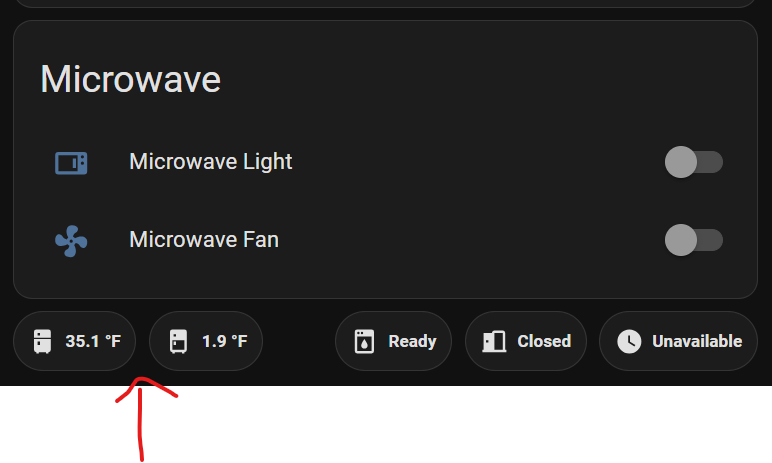
I have simple automations setup for each of these to send alerts to our phones if freezer temperature gets above 10F for 5 minutes or if fridge temperature gets above 40F for 5 minutes.
alias: Basement Freezer Temperature Notification
description: ""
triggers:
  - trigger: numeric_state
    entity_id:
      - sensor.acurite_tower_a_3475_temperature
    for:
      hours: 0
      minutes: 5
      seconds: 0
    above: 10
conditions: []
actions:
  - action: notify.mobile_app_jay_s24
    metadata: {}
    data:
      message: Basement Freezer Hot
  - action: notify.mobile_app_sm_s928u
    metadata: {}
    data:
      message: Basement Freezer Hot
mode: single
Automation for my basement freezer
Generic Acurite Temperature Sensors
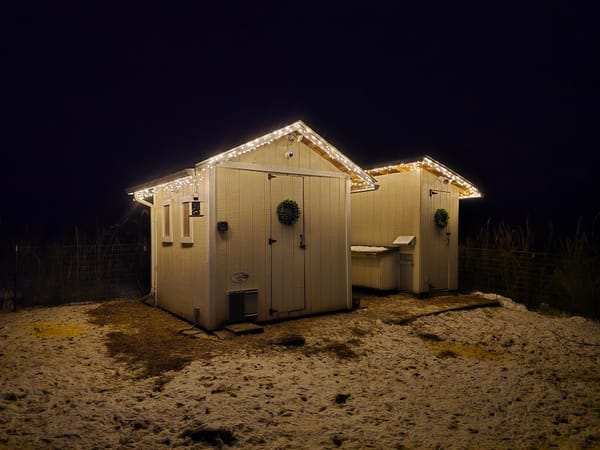
I use these to keep tabs on basement, attic, and chicken + goose coop temperature and humidity.

Ecowitt WS90 Weather Station
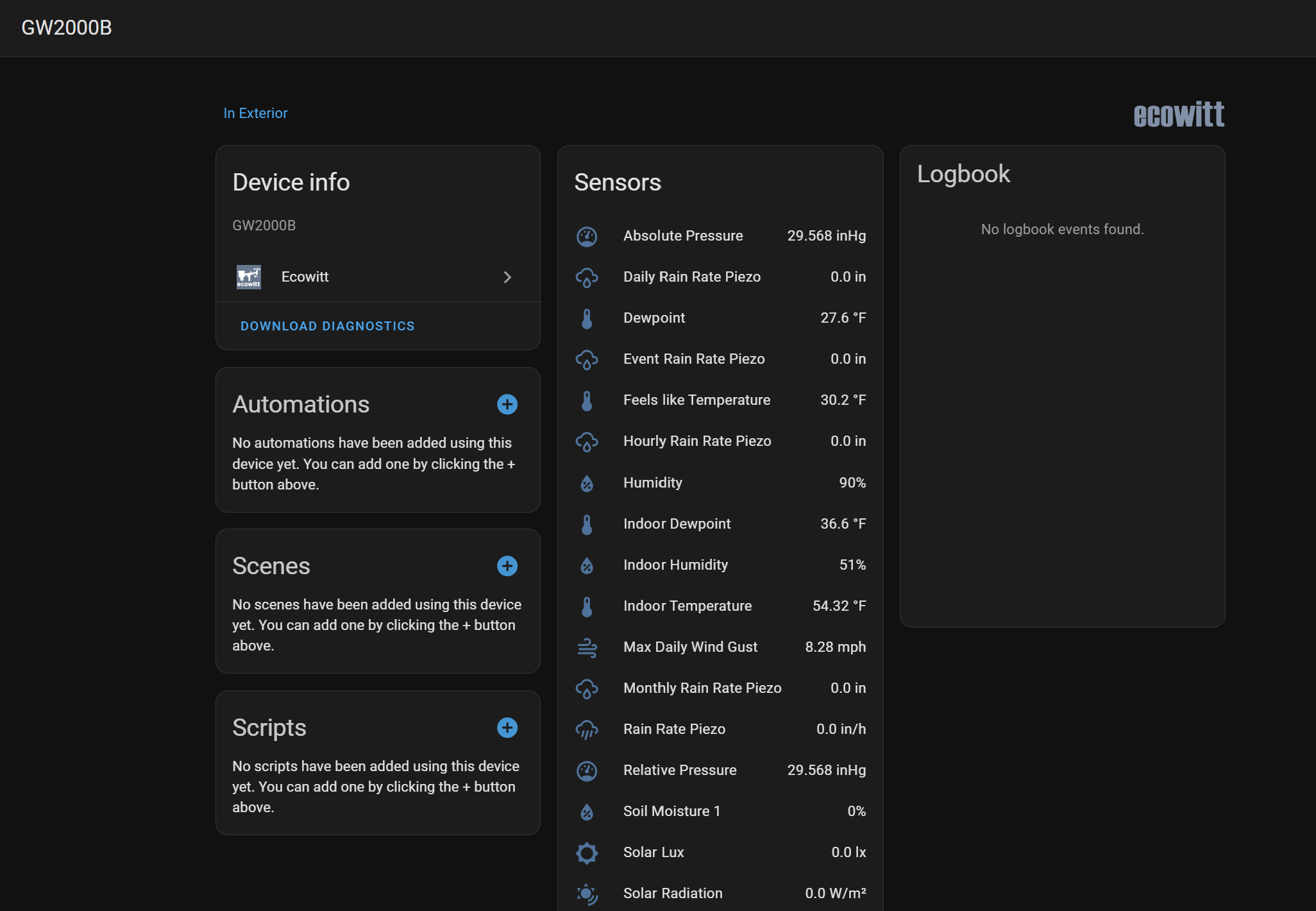
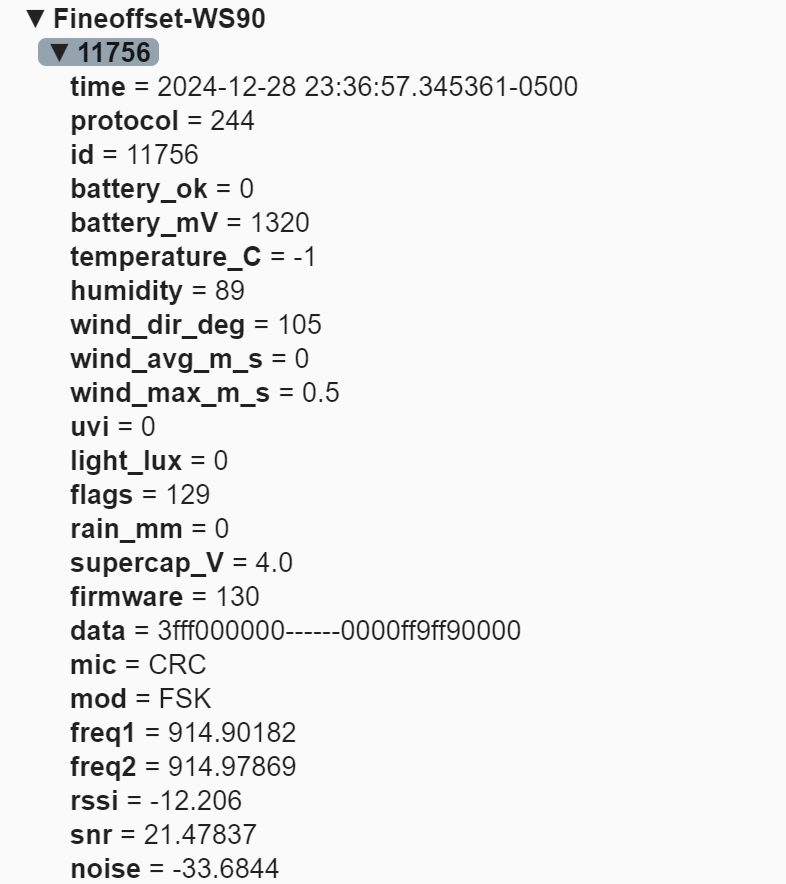
Right now, I'm actually using the ecowitt integration with the ecowitt GW2000 gateway to pickup data from my weather station, but the outdoor unit transmits at 915MHz and is picked up by my Noolec SDR. I may transition to using the MQTT entities instead at some point in the future.
Govee Leak Detectors
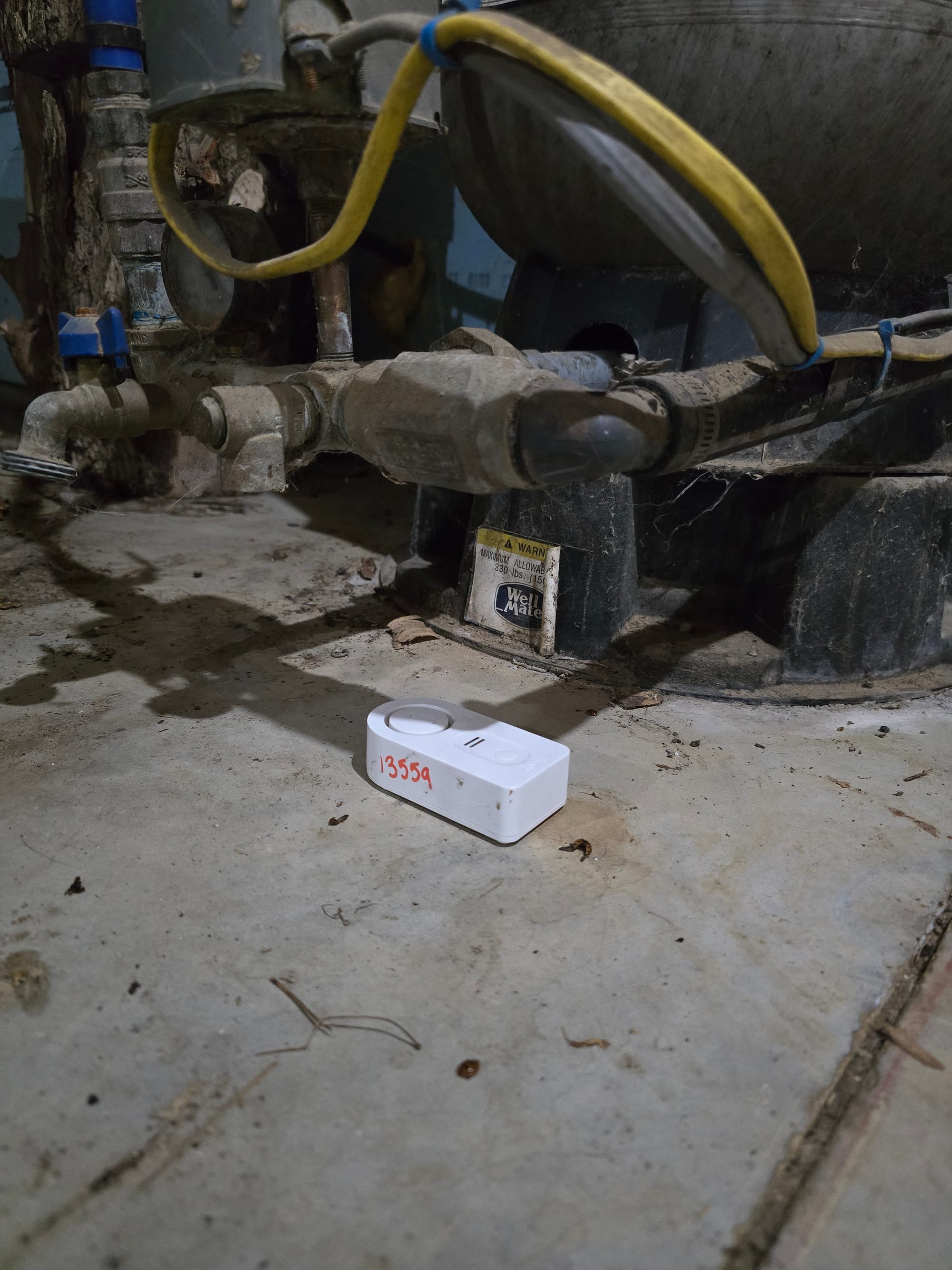
These Govee leak detectors sit under all my sinks, toilets, and appliances that have water lines. I also have one under my well pump pressure tank - pretty much anywhere a water leak is likely to occur. I have a automation configured that sends an alert to our phones that a water leak is detected. These have an audible alarm so they are easy to find when you get that notification. A few weeks ago, we had 4" of rain and I had mild flooding in my basement near the door (leaks under the seal, have some grading work to do) - the sensors alerted me right away.
rtl_433_autodiscovery doesn't automatically create entities for these guys, so I had to build them out by defining binary sensors (leak on/off) in my home assistant configuration file. There are a couple of good write ups out there on setting this up and I forget which I copied but it may have been this one.
#Govee Leak Detectors
mqtt:
    binary_sensor:

    - state_topic: "rtl_433/17069798-rtl433/devices/Govee-Water/13936/event"
      payload_on: "Water Leak"
      payload_off: "Button Press"
      device_class: moisture
      unique_id: 13936_govee_water
      name: Guest Sink Right Water Leak
      value_template: "{{value_json.event}}"

    - state_topic: "rtl_433/17069798-rtl433/devices/Govee-Water/14178/event"
      payload_on: "Water Leak"
      payload_off: "Button Press"
      device_class: moisture
      unique_id: 14178_govee_water
      name: Furnace Water Leak
      value_template: "{{value_json.event}}"

    - state_topic: "rtl_433/17069798-rtl433/devices/Govee-Water/13485/event"
      payload_on: "Water Leak"
      payload_off: "Button Press"
      device_class: moisture
      unique_id: 13485_govee_water
      name: Master Bath Sink Water Leak
      value_template: "{{value_json.event}}"

    - state_topic: "rtl_433/17069798-rtl433/devices/Govee-Water/14016/event"
      payload_on: "Water Leak"
      payload_off: "Button Press"
      device_class: moisture
      unique_id: 14016_govee_water
      name: Master Bath Toilet Water Leak
      value_template: "{{value_json.event}}"

    - state_topic: "rtl_433/17069798-rtl433/devices/Govee-Water/13937/event"
      payload_on: "Water Leak"
      payload_off: "Button Press"
      device_class: moisture
      unique_id: 13937_govee_water
      name: Guest Bath Toilet Water Leak
      value_template: "{{value_json.event}}"

    - state_topic: "rtl_433/17069798-rtl433/devices/Govee-Water/13491/event"
      payload_on: "Water Leak"
      payload_off: "Button Press"
      device_class: moisture
      unique_id: 13491_govee_water
      name: Kitchen Sink Water Leak
      value_template: "{{value_json.event}}"

    - state_topic: "rtl_433/17069798-rtl433/devices/Govee-Water/13443/event"
      payload_on: "Water Leak"
      payload_off: "Button Press"
      device_class: moisture
      unique_id: 13443_govee_water
      name: Washing Machine Water Leak
      value_template: "{{value_json.event}}"


    - state_topic: "rtl_433/17069798-rtl433/devices/Govee-Water/13559/event"
      payload_on: "Water Leak"
      payload_off: "Button Press"
      device_class: moisture
      unique_id: 13559_govee_water
      name: Well Pump Water Leak
      value_template: "{{value_json.event}}"

    - state_topic: "rtl_433/17069798-rtl433/devices/Govee-Water/13936/event"
      payload_on: "Water Leak"
      payload_off: "Button Press"
      device_class: moisture
      unique_id: 13946_govee_water
      name: Fridge Water Leak
      value_template: "{{value_json.event}}"
Home assistant conf file establishing binary sensors for each leak detector
alias: Water leak notification
description: ""
triggers:
  - entity_id:
      - binary_sensor.washing_machine_water_leak
      - binary_sensor.guest_sink_left_water_leak
      - binary_sensor.kitchen_sink_water_leak
      - binary_sensor.well_pump_water_leak
      - binary_sensor.guest_sink_right_water_leak
      - sensor.guest_sink_left_water_leak_battery
      - binary_sensor.master_bath_sink_water_leak
      - binary_sensor.guest_bath_toilet_water_leak
      - binary_sensor.master_bath_toilet_water_leak
    to: "on"
    trigger: state
conditions: []
actions:
  - action: notify.mobile_app_sm_s928u
    metadata: {}
    data:
      message: Water Leak Detected
  - action: notify.mobile_app_jay_s24
    metadata: {}
    data:
      message: Water Leak Detected
mode: single
Water leak notification
Soil Moisture
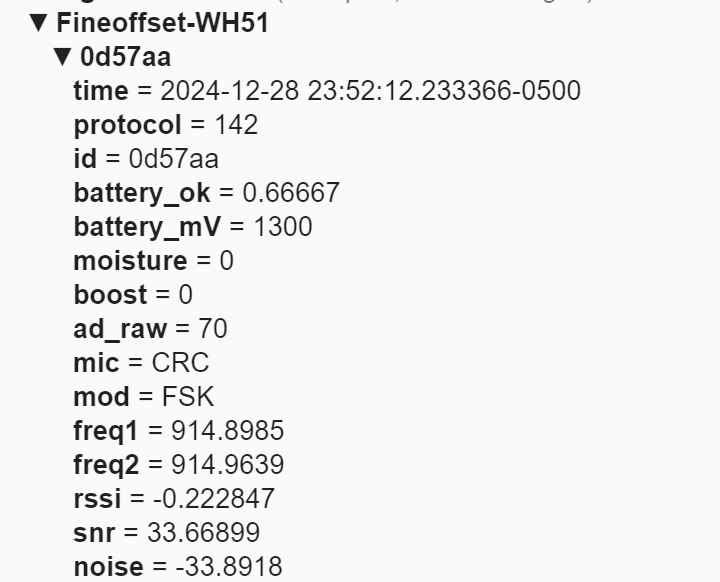
We used this sensor to keep tabs on our garden when we lived in SC - it broadcasts at 915MHz. I had an esp8266 relay board setup to trigger garden hose valves that fed drip waterers in our raised beds. This was a great way to get feedback and adjust drip waterer runtime for optimal soil moisture. I packed it away when we moved and haven't set it up for our Maine garden but plan to next growing season. We were rushed and didn't have any sort of auxiliary watering system (plus a MUCH larger garden, visible from space on google maps), so it was up to the weather to keep our garden healthy this year.
TPMS Sensors
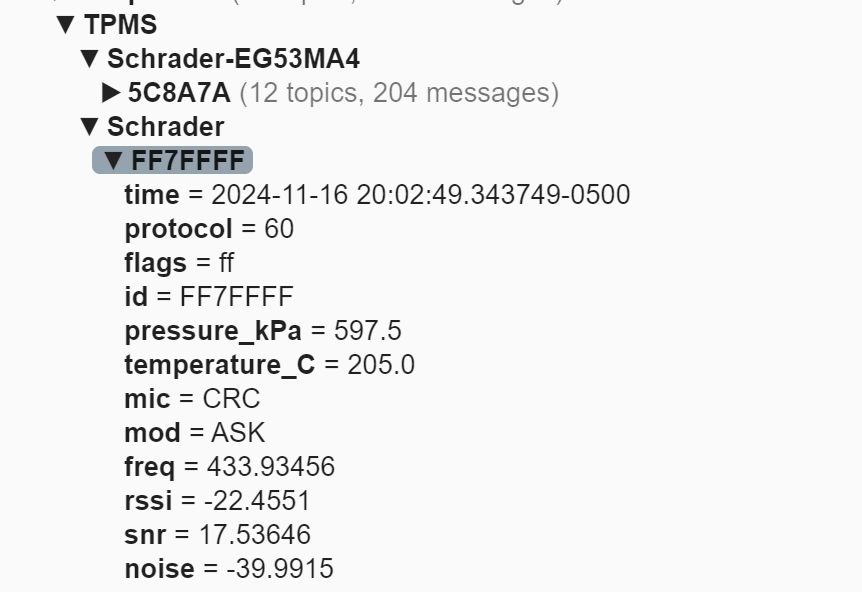
I've tried to pickup TPMS sensors from my two BMWs (support for gen3 and gen4/5 decoders has been added to RTL_433 in the past year) and Ford F250 - I've gotten a couple of TPMS signals but they may be from guest vehicles. This is an active work in progress but monitoring pressures in home assistant would be a huge leg up over the vehicle - the TPMS system in the BMWs just indicates high/low and if one TPMS sensor is not functional, the TPMS light stays on and I get no readings on the dash. It's not clear to me exactly when TPMS sensors broadcast (may only be on a change in pressure or at a certain wheel speed). My SDR is in the basement so a weak transmit signal also may not reach the unit. When the weather gets warm again, I plan to take the SDR out with my laptop and do some more troubleshooting. This write up inspired me.
RF sensors with an SDR make a great complement to the more traditional zigbee/wifi sensors and will definitely have a place in my automation toolbelt moving forward.