iPad Wall tablet: POE Power Control the Hard Way
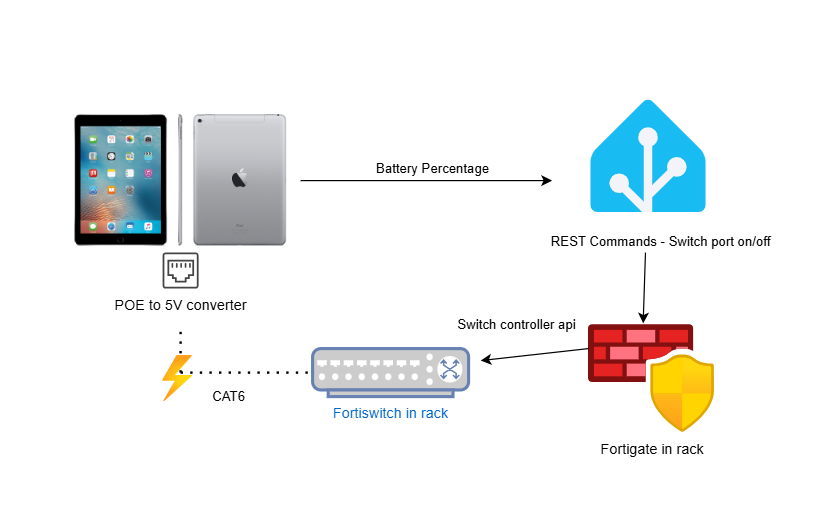
I'm upcycling an old 1st gen iPad Pro 9.7" into a wall tablet for home assistant. I'll be mounting a low voltage old work box behind it and using a Makes by Mike frameless wall mount.
Power was a big concern from the start. I had a cat6 jack in the same stud bay I wanted the tablet to sit (and low voltage is nice vs 120 + wall wart), so I ordered a MBM slim power cable and a POE adapter to go with the mount.
Old devices that perpetually sit on a charger (and even some that don't I think) tend to have their batteries swell. I read about a charge management feature that should seamlessly protect the battery while it's plugged in for prolonged periods of time, but also read mixed reviews. I found a jailbreak tweak that allows you to set a maximum charge percentage, called BattSafePro, but I foolishly updated my iPad from iOS 14.x to 16.7.12, limiting me to a semi-tethered jailbreak through palera1n.
The usual approach to power management on the home assistant forums was a smart switch - monitor battery percentage with HASS companion app battery state sensor, then turn power on/off with an automation. Being that I chose the POE route, I didn't have a straightforward way to do that.
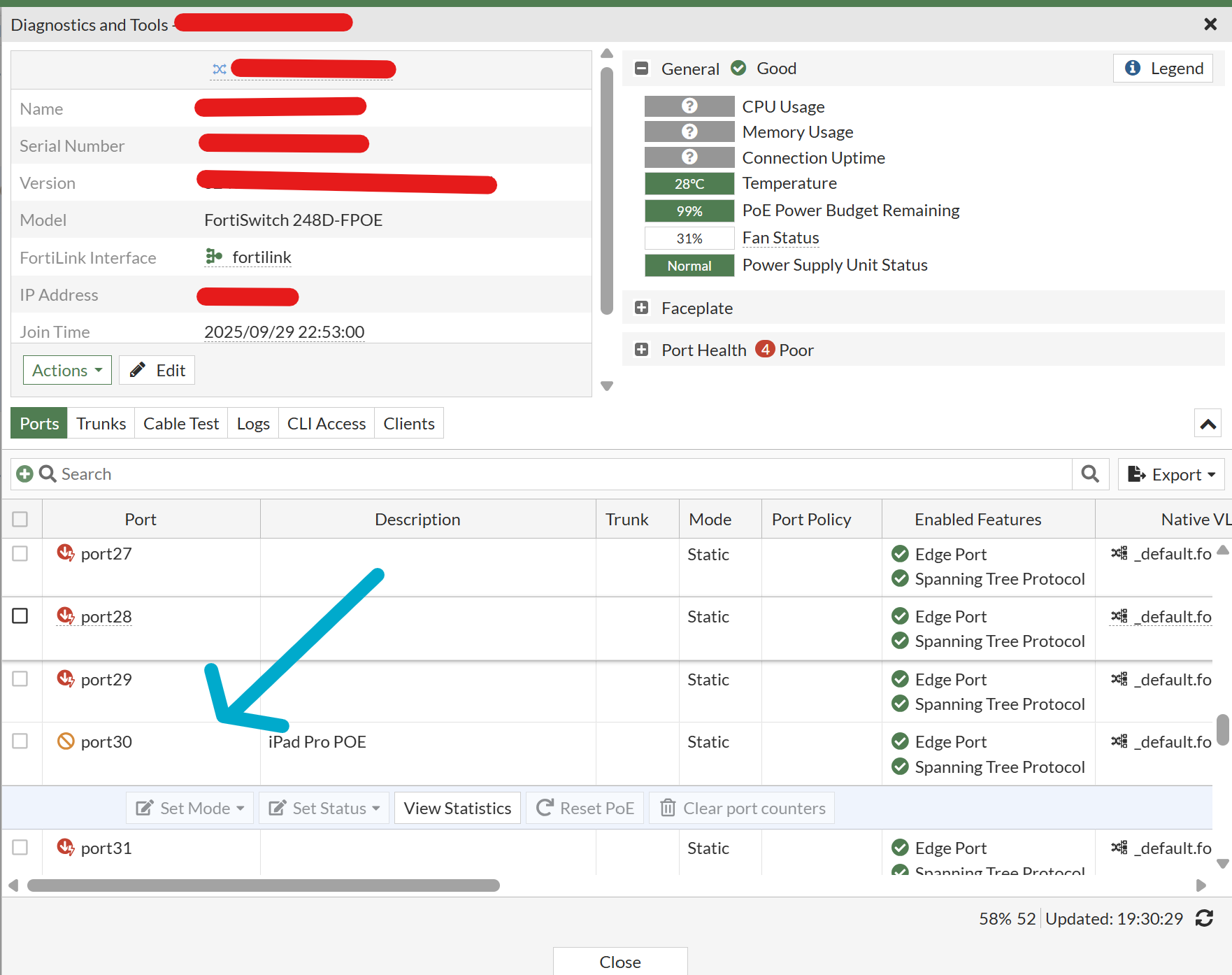
My home network is fronted by a Fortigate firewall. I have 3 fortiswitches and 3 fortiaps all managed by the fortigate. I got to looking at the fortigate rest api and came up with a plan - use a pair of home assistant rest_commands to enable/disable the physical port, effectively acting as a smart switch.
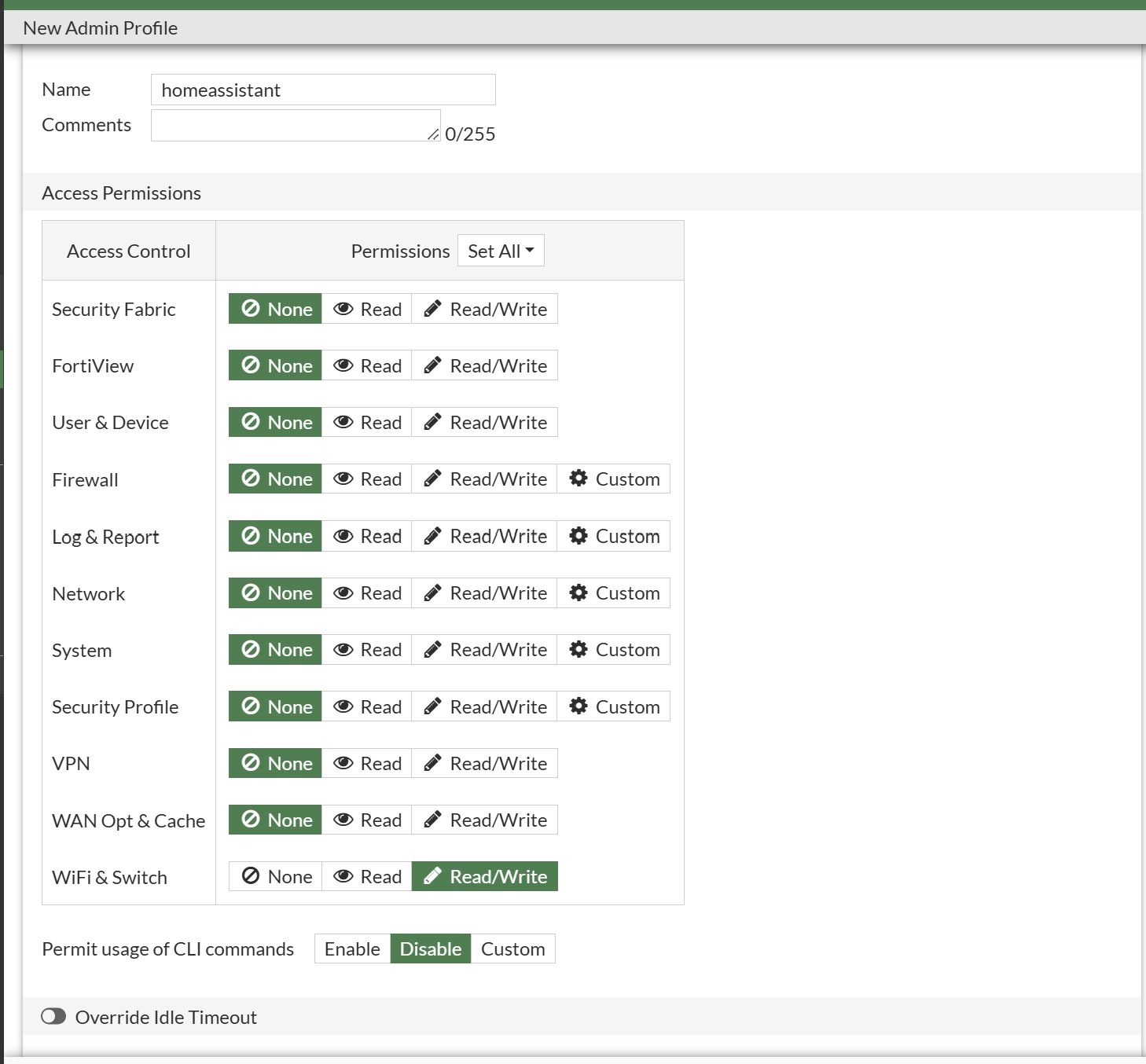
The first step was creating a lowest-rights admin profile. I gave it only wifi/switch read/write access.
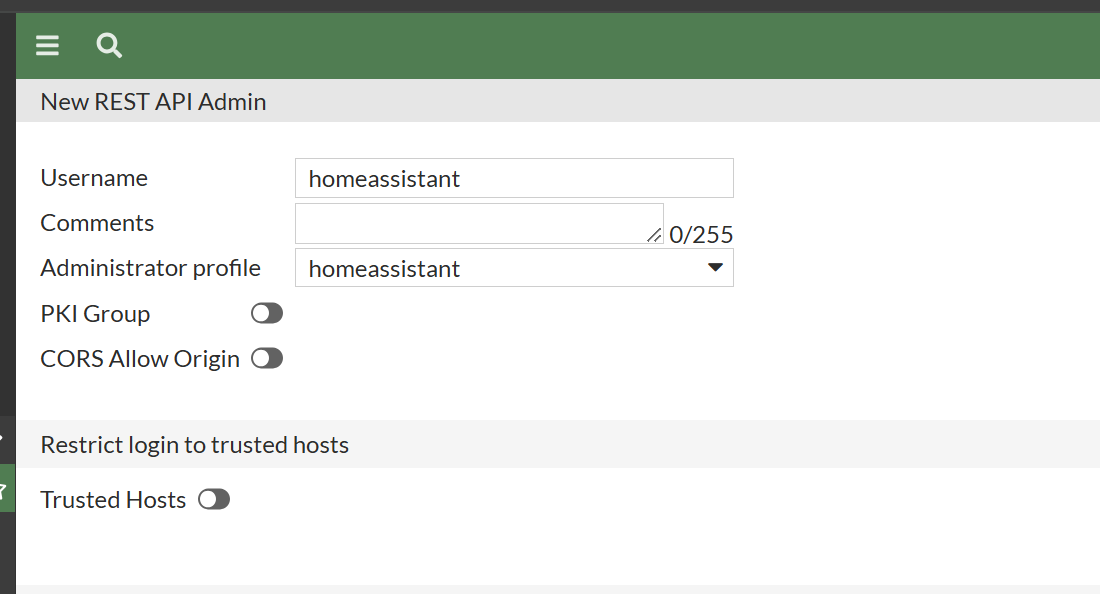
I then went into system -> administrators and created a new REST API admin, assigned to the aforementioned limited rights admin profile. After hitting create, I copied the API key.
The next hurdle was figuring out the REST API endpoints I'd be dealing with - I fired up postman and read through the documentation. I ultimately came up with...
https://{fortigate_ip}/api/v2/cmdb/switch-controller/managed-switch/{switch_serial_number}/ports/{port_name}Where fortigate_ip is your management IP, switch_serial_number is the serial number of the managed switch (S248xxxxxxxxx), and port_name is the name of the port as found in the running config (port1, port20, port30, etc).
The payload required for enabling the port at that REST API endpoint was simple:
{
  "status": "up"
}
As you may have guessed, the payload required to disable the port was equally simple:
{
  "status": "down"
}
The API key was passed in the headers as authorization: bearer {api_key}.
With the basics figured out, I created the home assistant RESTful command integration. This is configured via yaml in the main configuration.yaml.
#iPad Power Control Start

rest_command:

  power_on_ipad:
    url: "https://{myfortigateip}/api/v2/cmdb/switch-controller/managed-switch/{myswitchserialnumber}/ports/port30"
    method: PUT
    headers:
      authorization: !secret fortigate_key
      content_type: "application/json"
    payload: '{
                "status": "up"
            }'
    verify_ssl: false

  power_off_ipad:
    url: "https://{myfortigateip}/api/v2/cmdb/switch-controller/managed-switch/{myswitchserialnumber}/ports/port30"
    method: PUT
    headers:
      authorization: !secret fortigate_key
      content_type: "application/json"
    payload: '{
                "status": "down"
            }'
    verify_ssl: false
In secrets.yaml, I created a new secret with my api key.
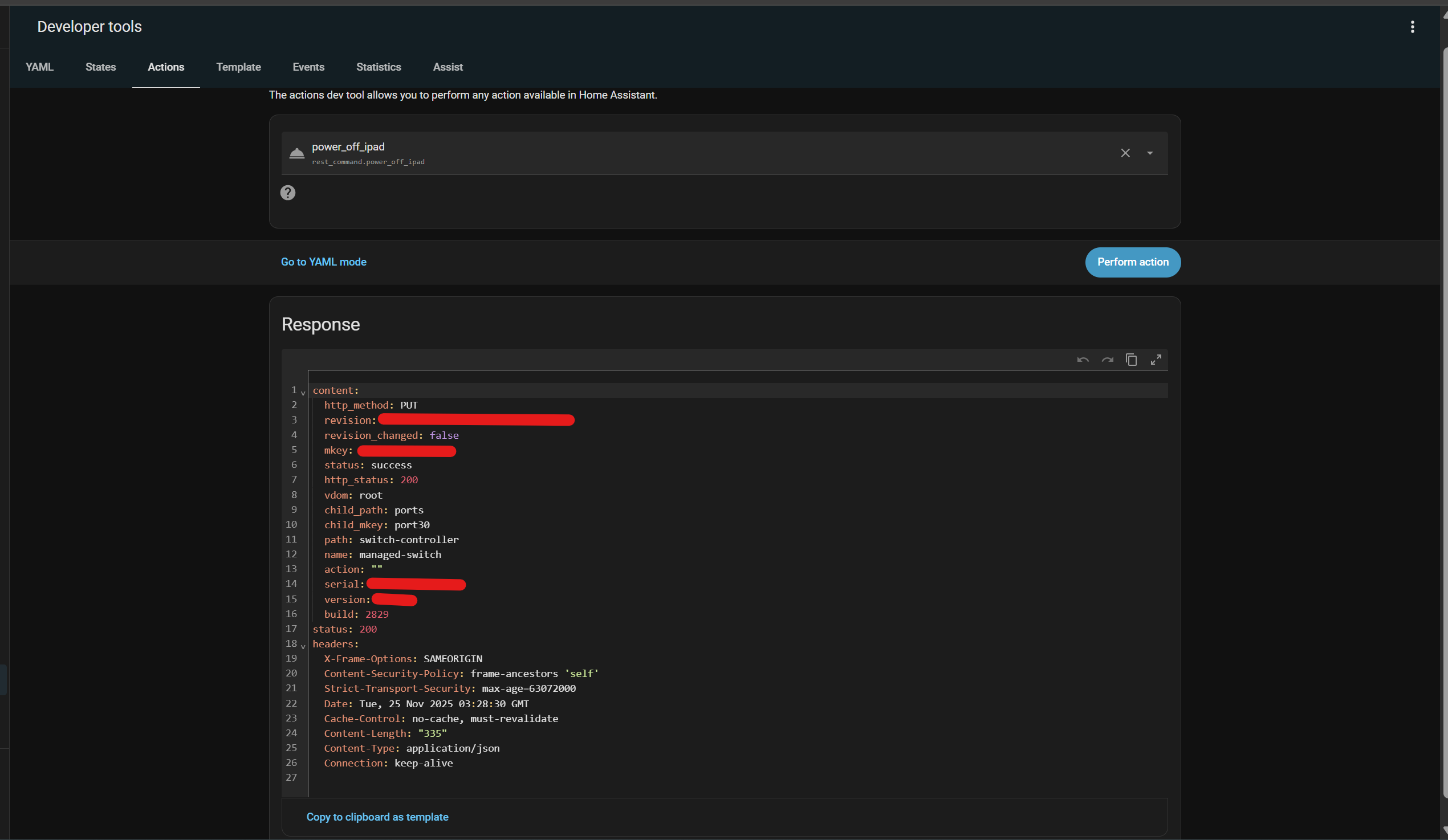
fortigate_key: "Bearer {MyFortigateAPIKey}"Finally, I reloaded home assistant to pick up the new configuration and opened up developer tools. Under actions, I had two new rest_commands, power_on_ipad and power_off_ipad. Testing proved successful for both power on and power off.
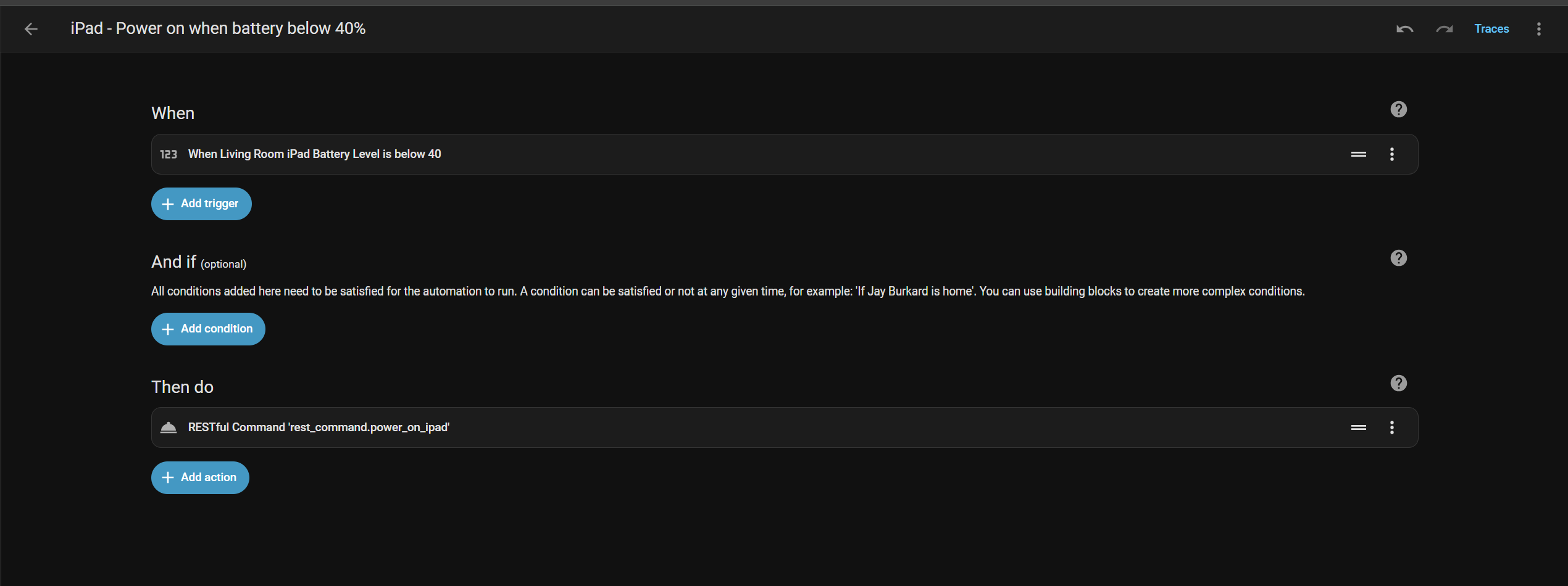
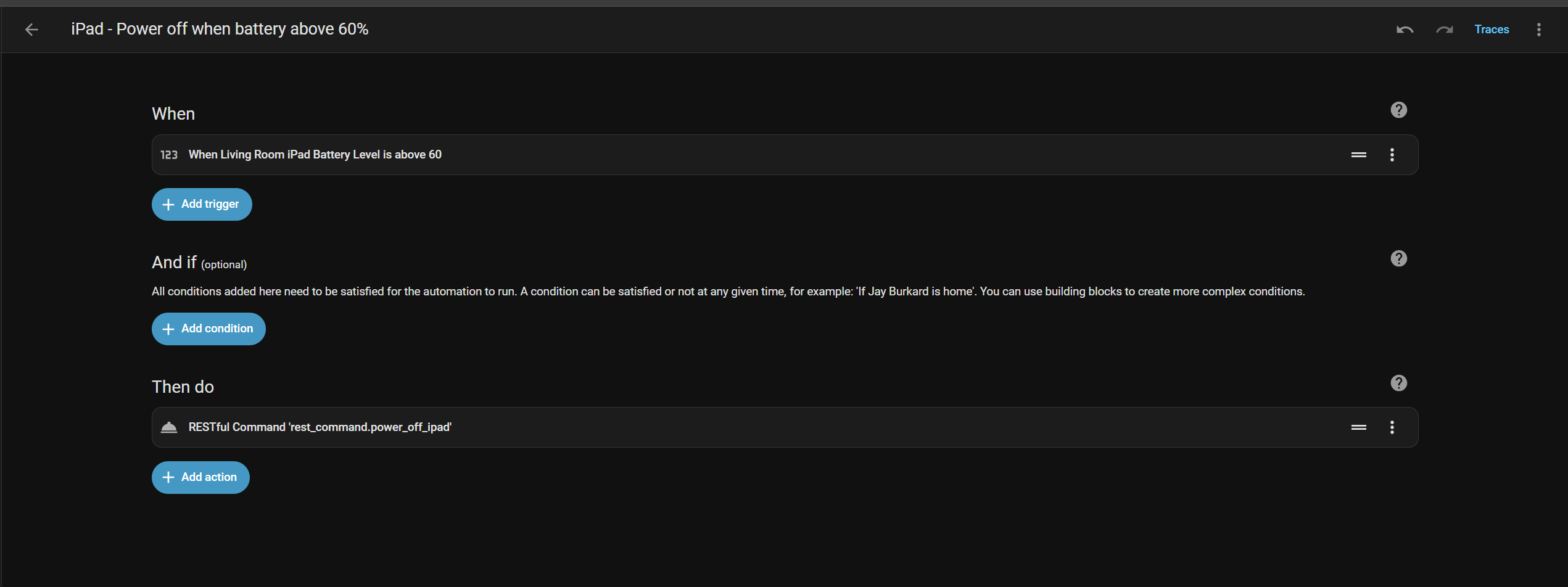
The last step was to create a pair of automations, one to turn the port on when battery level is below a threshold and another to turn the port off when it is charged above a threshold.
This was a quick project that highlights how flexible home assistant is at connecting completely separate systems with ease.
Automation yaml:
alias: iPad - Power off when battery above 60%
description: ""
triggers:
  - trigger: numeric_state
    entity_id:
      - sensor.living_room_ipad_battery_level
    above: 60
conditions: []
actions:
  - action: rest_command.power_off_ipad
    metadata: {}
    data: {}
mode: single
alias: iPad - Power on when battery below 40%
description: ""
triggers:
  - trigger: numeric_state
    entity_id:
      - sensor.living_room_ipad_battery_level
    below: 40
conditions: []
actions:
  - action: rest_command.power_on_ipad
    metadata: {}
    data: {}
mode: single