Executing a live network switch cutover from Cisco/Others to Fortinet with one Fortigate Firewall

A couple of months ago I replaced my pfsense firewall with a small fortigate. I've also acquired 2 fortinet switches and 3APs. My existing home network looks something like this, a mixture of vendors and gear I've acquired over the past 5 years.

I wanted to consolidate all down to just fortinet gear, mainly to take advantage of the nice 431G WAPs, but also to take advantage of the fortilink single pane of glass management system. In my current system, my Unifi wireless controller is a container running inside of home assistant on my VM host. During power outages and other host issues, the wireless can go down without the rest of the network going down. This is a huge pain and a hardware switch controller, like the fortigate, is infinitely better. I wanted my end state to look something like this:

I wanted to execute this cutover in pieces, primarily to keep WAF (wife approval factor) high.
The fortinet switches all show up under a new interface, "fortilink", so on the firewall itself it is not simple to "bridge" the legacy and new networks (without re-addressing each end device at least). Throughout the cutover, I wanted my old devices on the legacy switches to be able to talk to all my devices on the new network.

To facilitate this, I created a mirror of all my existing VLANs (same vlan ids) on the old network on the fortilink interface. I set the interface address to something that wouldn't conflict with anything in my network and also wasn't the same as the existing networks' interface addresses. My old primary lan was on VLAN 1 and I wanted to to move it to something else to not conflict with the built in fortilink VLAN 1 - I chose VLAN 11.

Then, down on my old cisco switch, I created two ports - one trunking all vlans and one an access port on VLAN 1. On the fortinet side, I also created two ports - one a trunk for all vlans but VLAN 11 (the new primary LAN) and the other an access port on vlan 11. The trunk would effectively connect the old network and the new L2 (so I could begin moving items over one by one to the new switches), and the access ports would do the same but translate VLAN 1 on the legacy side to VLAN 11 on the new side.

To verify that all worked, I pinged the fortilink fortigate interface address on my laptop (connected to the old ubiquiti APs) - everything worked!
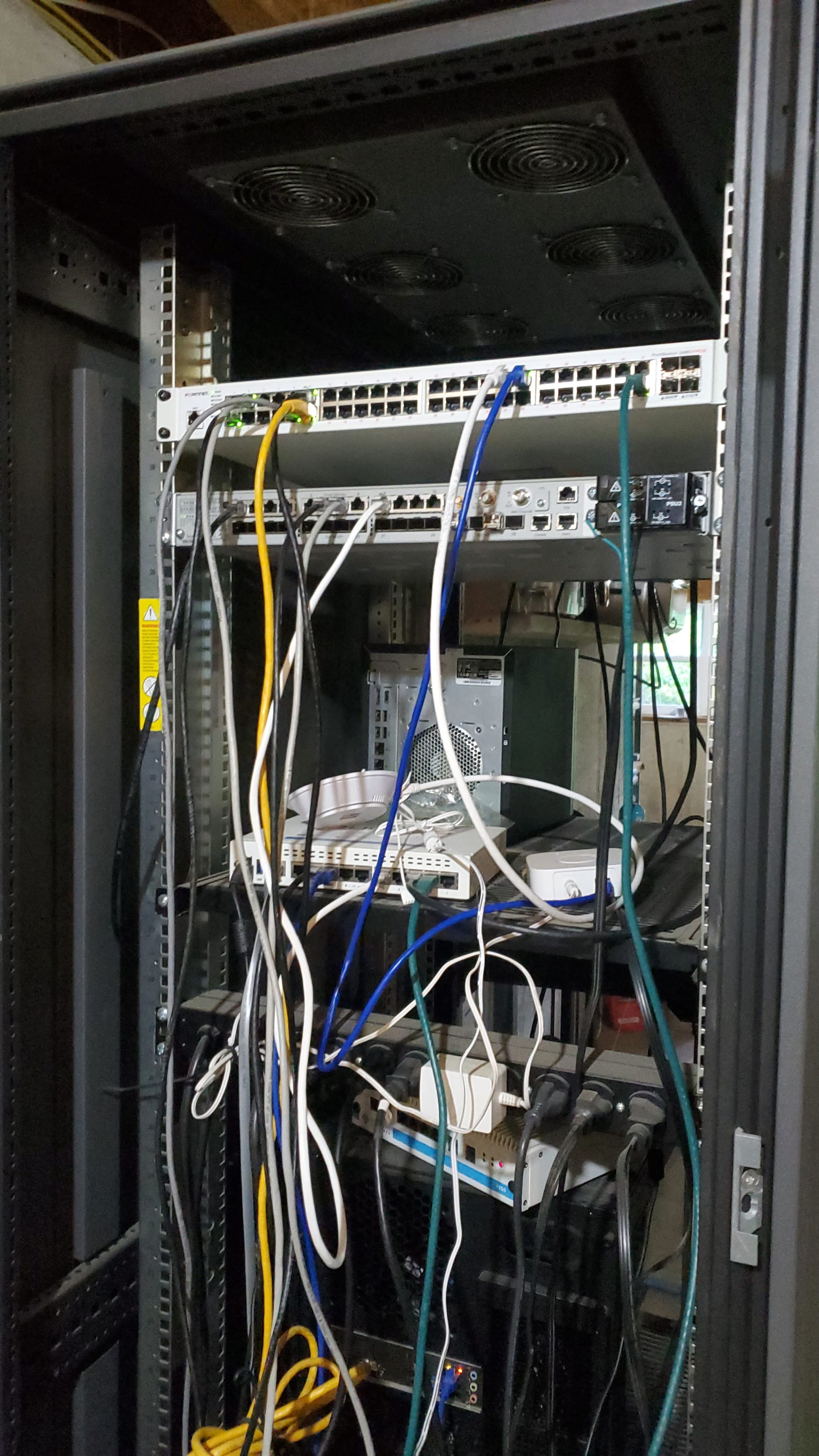
1 by 1, I cutover everything in my server rack to the new 48 port fortinet switch. My host was the trickiest - I previously had it connected via single mode fiber @10gb to the Stratix 5410 - my fortinet model doesn't have any 10gb ports and all my fiber SFPs on hand were 10gb or 1gb long haul, neither of which I wanted to use. I created an LACP port channel ("bond" in proxmox) to bridge 2 1gb ports on the host instead. My uplink to firewall and everything else in the house was 1gb anyway, so the 10gb to the host wasn't doing me much good. I'll upgrade to a 10gb capable fortinet switch some day.
On to wireless! After everything wired was cut over, I stood up a temporary interface on the fortilink interface and set an allow rule for WAN access. I stood up a bridge mode SSID under wifi -> ssids and setup my fortinet AP profile to bridge to the temporary VLAN. I swapped out one of the existing unifi APs for a fortinet and got connected to the temporary wireless. From here, I decommissioned the other two ubiquiti APs and replaced them with fortinets. After my old SSID was down, I created the same SSID on the fortinet side with same pre shared key - everything reconnected seamlessly.

At this point, everything was cut over to the fortinet infrastructure, but traffic was still flowing from fortigate -> cisco -> fortinet infrastructure. To cut the cisco gear out of the middle, I connected again to the temporary SSID. First, I copied over all my DHCP reservations and then swapped the interface addresses on the fortinets and old cisco interfaces. Finally, I changed all the firewall rules with the old interfaces in them to the new interfaces. After verifying connectivity, I disconnected the temporary trunk and access port network bridge ports between the cisco and fortinet.